

When 3D printers first reached the public eye, the promise sounded almost magical: print anything you need at home, from a phone case to a spare part to a house. Years later, the reality is more interesting and more modest. 3D printing is a genuinely useful tool, quietly changing prototyping, repair, medicine and manufacturing. It is also a tool with clear limits that hype tends to skip. Knowing both sides helps you decide whether it is worth a place on your workbench.
How 3D printing works
3D printing, also called additive manufacturing, builds objects by adding material layer by layer from a digital design. Traditional manufacturing often removes material, such as cutting, drilling or carving, or shapes it in a mold. Printing adds only what is needed.
The process follows a simple flow:
- Design. You create a 3D model in design software, or download a ready-made one from an online library.
- Slicing. A program called a slicer cuts the model into hundreds or thousands of thin horizontal layers and generates instructions for the printer.
- Printing. The machine builds the object one layer at a time.
- Finishing. You remove supports, then sand, paint or treat the surface as needed.
Main printing technologies
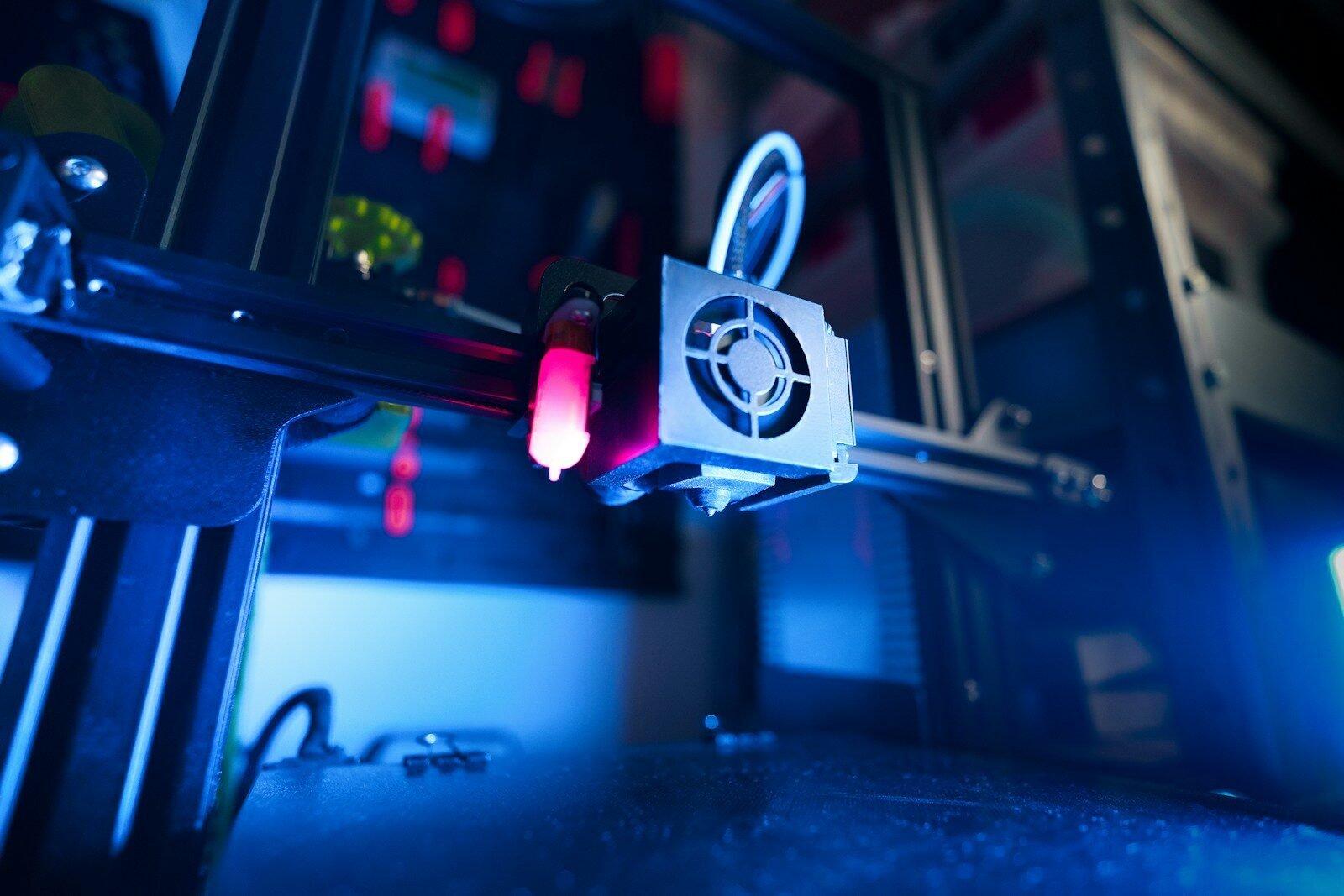
- FDM (fused deposition modeling). The most common home technology. A heated nozzle melts plastic filament and lays it down in lines. It is affordable and versatile, and uses materials such as PLA, PETG and ABS.
- Resin printing (SLA and similar). A light source cures liquid resin layer by layer, producing very fine detail and smooth surfaces. It is popular for miniatures, jewelry models and dental applications, but needs careful handling of resin and cleanup.
- Powder-based printing (such as SLS). A laser fuses powder, usually nylon, into strong parts without needing support structures. It is common in industry and some professional services.
- Metal printing. Used in aerospace, medicine and tooling to produce strong, complex metal parts. It is expensive and mostly industrial.
What 3D printing is great at
Prototypes and models
Designers and engineers can test shapes, fit and ergonomics within hours, at low cost, before committing to expensive production. This is where the technology has had the biggest impact.
Custom and one-off parts
If you need something unique, such as a bracket that fits an odd gap, a holder for a particular tool or a custom organizer, printing is ideal, because making one costs about the same as making a hundred.
Repairing and replacing
A broken plastic knob, a lost clip or a cracked cover can sometimes be replaced with a printed part, saving a device from the bin. Repair communities share models for common parts.
Complex shapes
Printers can make internal channels, lattices and organic forms that are difficult or impossible to machine, which is useful in lightweight design.
Education, hobbies and art
Teachers use printed models to explain anatomy, geometry and engineering. Hobbyists make gaming pieces, costumes, jewelry and sculpture.
Medicine and specialized uses
Printed anatomical models help surgeons plan operations. Custom dental devices, hearing aid shells and some prosthetic components are made with 3D printing. Research also explores printed tissues and implants, though much of it is still experimental.
What it cannot do, or does poorly
- Strength in all directions. Printed parts are often weaker between layers than along them. A part that looks solid may split along layer lines under load.
- Heat resistance. Common plastics such as PLA soften at relatively low temperatures, for example in a hot car.
- Smooth finish and tight tolerances. Layer lines are visible, and precise fits may need adjustment and finishing.
- Speed and scale. Printing takes hours for small objects, and mass production is usually faster with molding.
- Food safety. Most printed plastics, and their tiny crevices, are not suitable for long-term food contact, unless specifically designed and certified.
- Safety-critical parts. Components that people rely on for safety, such as climbing gear or car brakes, should not be home-printed.
- Anything electronic or complex. Printers make plastic shapes, not working circuits, motors or batteries, though they can make cases and mounts.
Houses and food have been printed in pilot projects, but those use specialized machines and materials. They are not what a desktop printer does.
What it costs
Entry-level printers are far more affordable and reliable than a decade ago, and a basic FDM machine is within reach for many households. The ongoing costs include filament or resin, replacement nozzles and your time for setup and troubleshooting. Prices vary by country and change over time, so compare current options. If you only need occasional prints, local makerspaces, libraries and online printing services offer access without buying a machine.
Getting started
- Define your goal. Repairs and household items suit FDM. Detailed miniatures suit resin.
- Start with easy material. PLA is forgiving and prints at lower temperatures.
- Use proven models first. Download well-reviewed designs before creating your own.
- Learn basic design. Beginner-friendly design software lets you create simple parts and modify existing ones.
- Join a community. Forums, makerspaces and tutorials solve most problems quickly.
Safety and responsibility
- Print in a ventilated space, since heated plastics can release fumes and fine particles.
- Be careful of hot nozzles and moving parts. Never leave a printer running unattended for long periods without safety measures.
- Wear gloves and eye protection when handling resin, and dispose of it properly, since uncured resin is irritating and harmful to the environment.
- Respect intellectual property and local laws. Do not print illegal or dangerous items, including weapons.
Frequently asked questions
Is 3D printing hard to learn?
Modern printers are much easier than before, but expect a learning curve with settings, adhesion and troubleshooting.
What can I print at home?
Replacement knobs and clips, organizers, tool holders, models, toys, cases and prototypes are common examples.
Are printed objects strong?
They can be, depending on material, settings and design, but strength varies with direction and they are not suited to every load.
Do I need design skills?
Not at first. Many free models exist, and basic design skills can be learned gradually.
A tool, not a miracle
3D printing will not replace factories or make shops obsolete, but it puts a small, flexible workshop within reach. Use it for custom parts, repairs, prototypes and creative projects, respect its limits and you will find it one of the most rewarding technologies to tinker with.